Network discovery
Scans only the address ranges you approve and finds laptops, desktops, servers, printers, switches, IoT gear and unknown devices. Every scan is logged with who started it, which range and when.
Free Personal beta · Coming Oct 30
Know every device on your network.
IslandScan is a LAN asset inventory app from IslandByte, built for small IT teams and MSPs. It finds the devices on your network, records their full specs, and shows you what changed. It also flags hardware and firmware that matches a known public advisory.
One place to see what is on your network, what it is made of, and what changed since the last scan.
Scans only the address ranges you approve and finds laptops, desktops, servers, printers, switches, IoT gear and unknown devices. Every scan is logged with who started it, which range and when.
See each device the way a tech would on the bench:
Dashboards for assets by type and OS, warranty timelines and discovery over time, plus a map of what is on the network. A change timeline shows new devices, new open ports, and RAM or OS changes.
Compares hardware, firmware and OS versions against public advisories, including CISA's Known Exploited Vulnerabilities catalog, and flags devices that match. How matching works
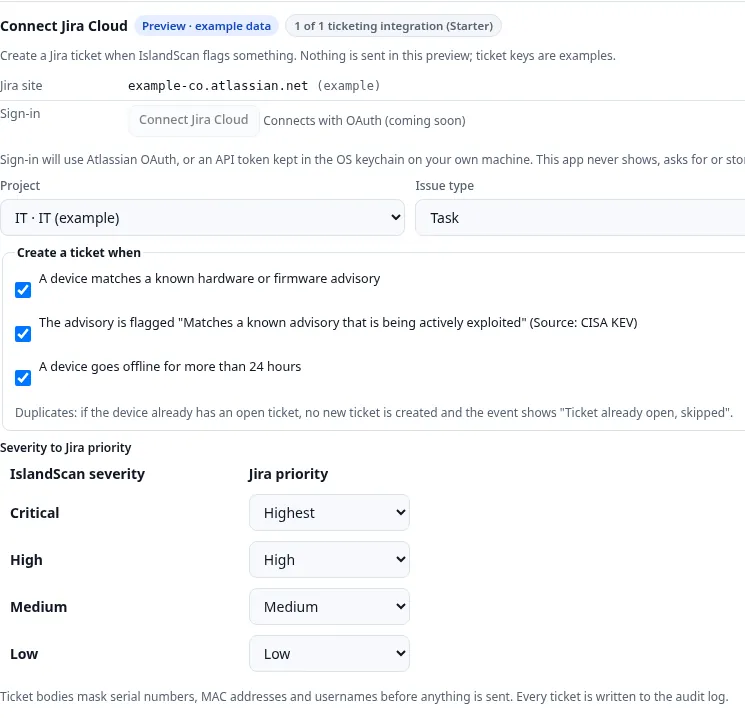
Get alerts when an unknown device joins or a warranty is ending. Open tickets in your ticketing system and export branded PDF reports. Actions that change something require admin approval and are logged.
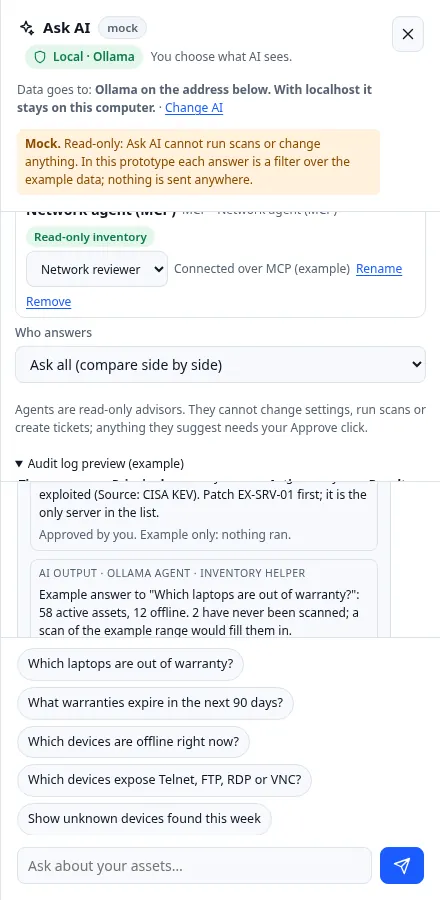
Ask plain-language questions like "Which laptops are out of warranty?" Use your own AI key or a local Ollama model. Ask AI can read your inventory but cannot change anything.
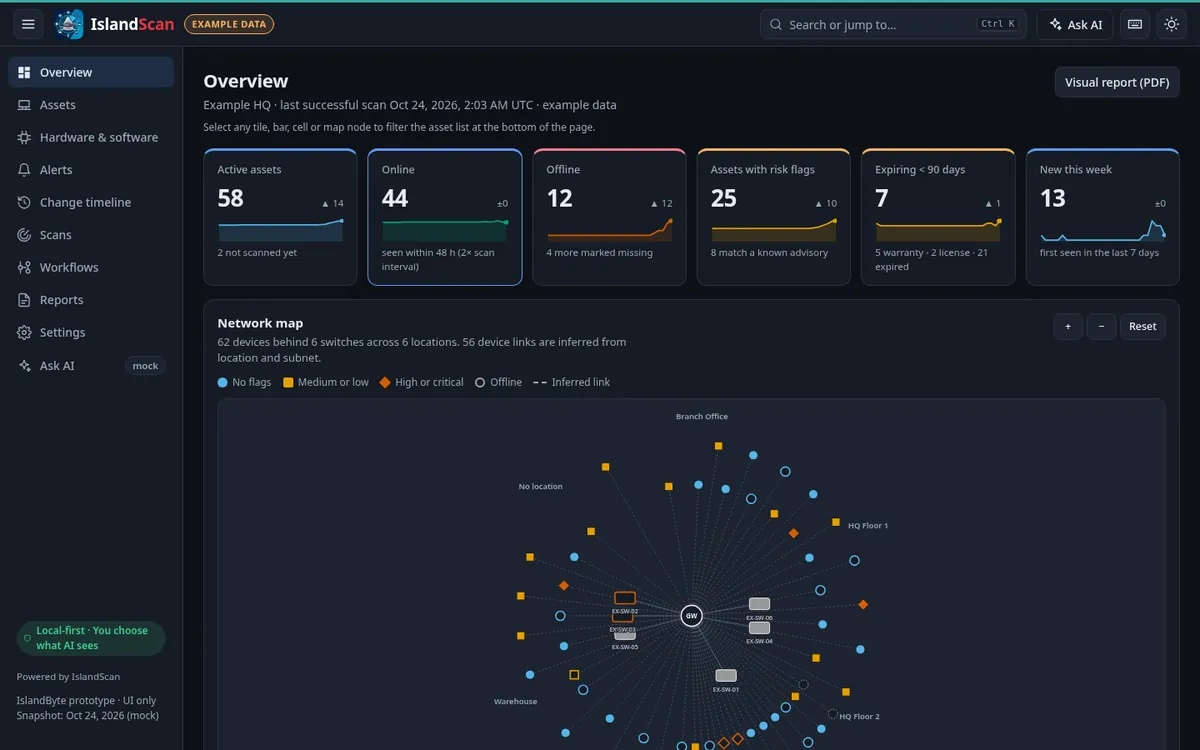
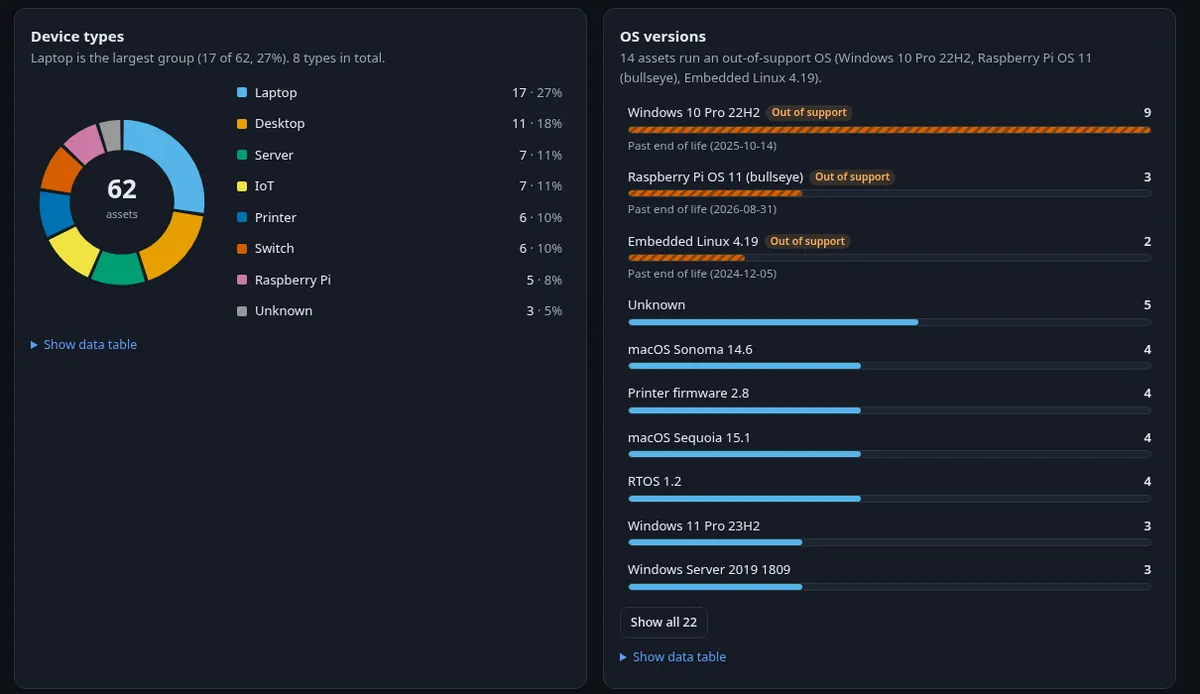
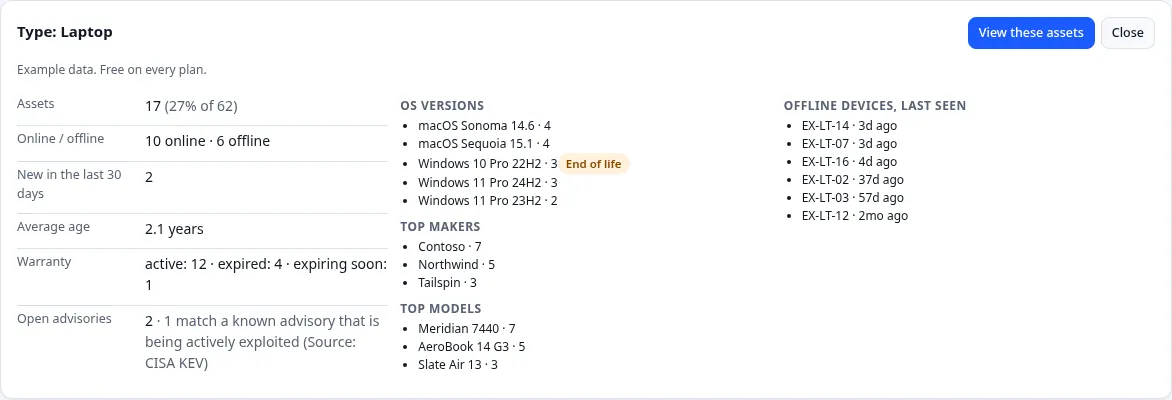


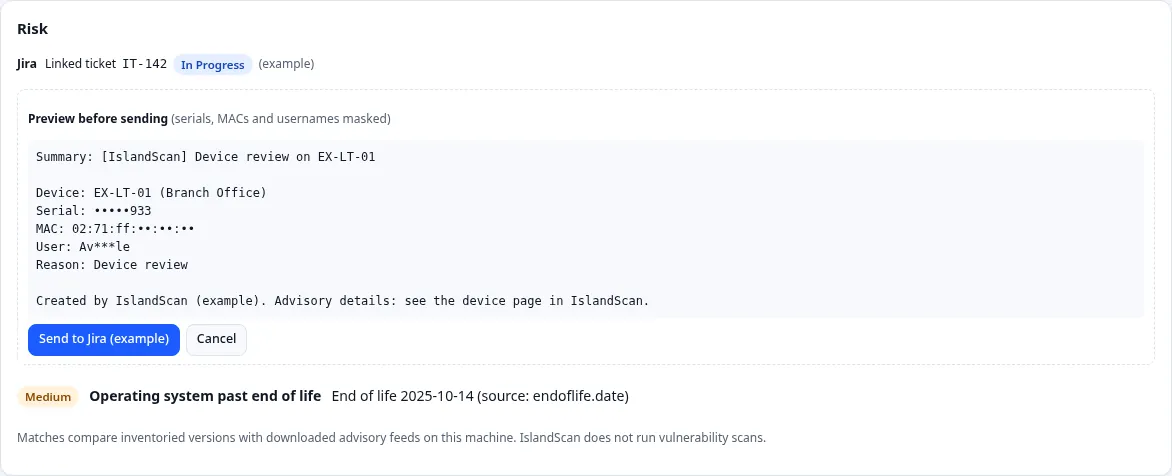
IslandScan compares the hardware models, firmware, OS versions and installed software it has already inventoried against public advisory lists. These include CISA's Known Exploited Vulnerabilities catalog.
Matches a known advisory
Each flag shows what was matched, the fixed version, and how the match was made, so you can decide what to do next.
The advisory list is downloaded to your machine and matching happens locally. No device or inventory data is sent out for matching. IslandScan is an inventory tool. It does not run vulnerability or exploit scans, does not brute-force anything, and does not detect zero-day attacks. A match is a prompt to check the vendor's guidance.

Scan credentials for full-spec scans (WMI or SSH) are kept on your machine in the operating system's keystore. After you save them, they are never shown again in the app, reports, exports or AI answers.
Ask AI is optional. You choose the provider, either your own AI key or a local Ollama model, and you choose what it can see. It can read your inventory but can never change it.
IslandScan is not on sale yet. These are the plans we will launch with.
Free
$279/mo, billed yearly
or $329/mo month-to-month
$499/mo, billed yearly
Prices in USD. Plans and prices may change before launch.
IslandScan will be a desktop app for Windows and macOS. Installers will be code-signed and posted with SHA-256 checksums so you can verify them before you install.
Email Matt at mdesantis@islandbyte.co with questions, or to get a note when IslandScan is ready.